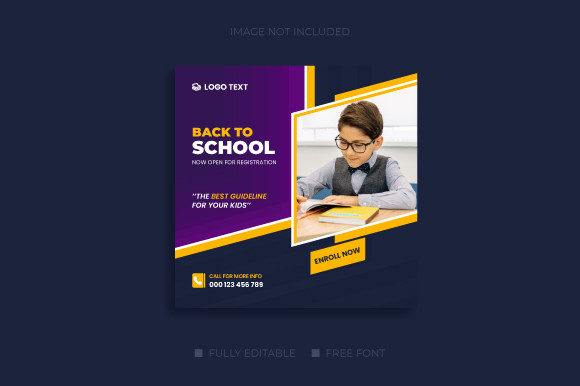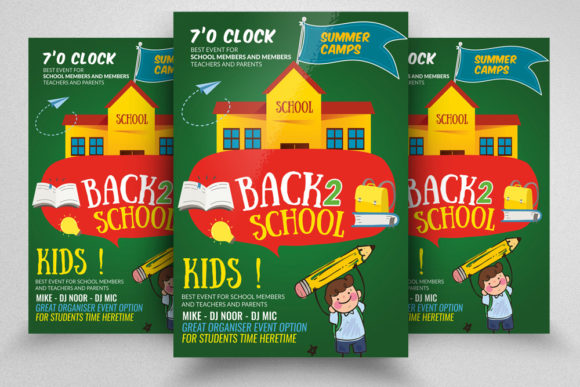
Back to School Flyer: A Practical Template for Real-World Marketing and Communication
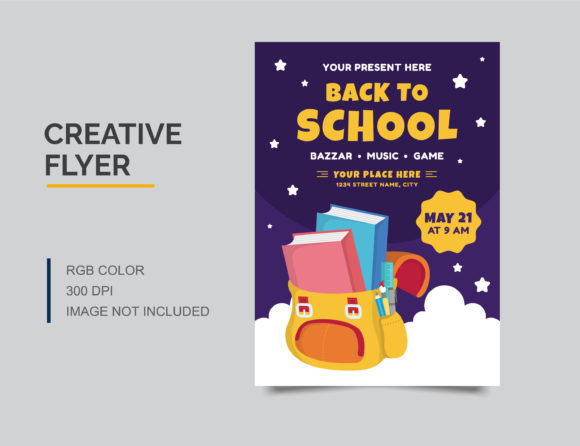
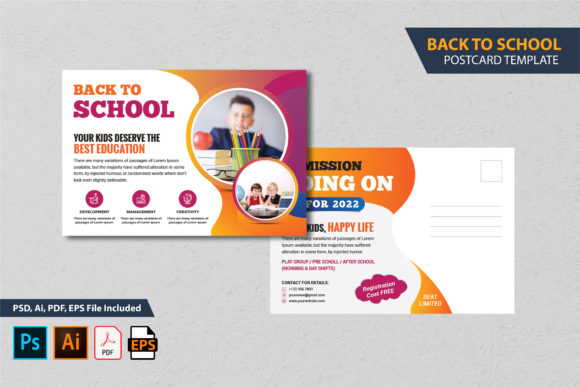
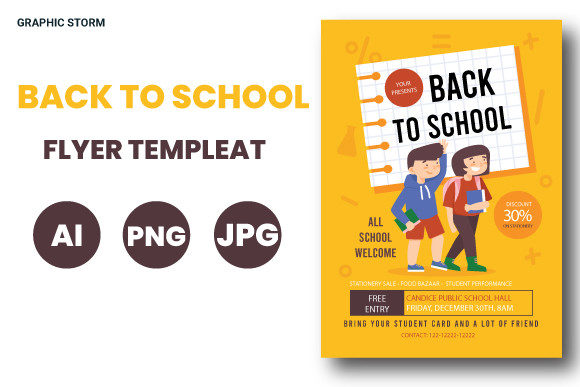
Every year, the back-to-school season brings a wave of activity. Parents are shopping for supplies, teachers are preparing classrooms, and local businesses are looking for ways to connect with families. If you have ever needed to announce a school event, promote a tutoring service, or advertise a seasonal sale, you know that a well-designed flyer can make all the difference. The Back to School Flyer is more than just a design file. It is a ready-made tool built to help you communicate clearly and professionally without starting from scratch.
What the Back to School Flyer Actually Is
At its core, this is a professionally designed template file that comes in PSD format. It follows standard print specifications: CMYK color mode, 300 DPI resolution, and a size of 8.5 by 11 inches with a 0.25 inch bleed. These details matter because they mean the flyer is ready for commercial printing right out of the box. You do not need to adjust color profiles or worry about resolution. The file also includes editable text layers, a smart object layer for inserting your own images, and well-organized layers that make customization straightforward. Free fonts are used, and an instruction file is included. In short, it is a template designed for people who want results without the steep learning curve.
Where and When People Use This Flyer
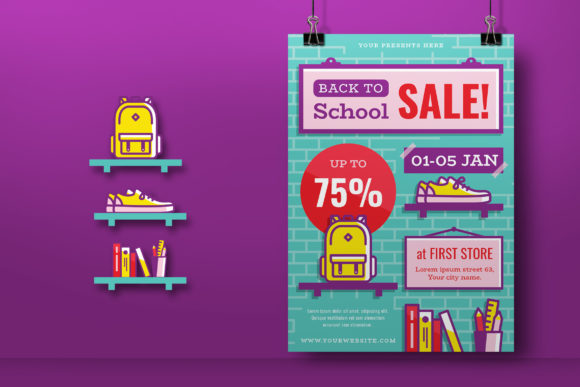
The back-to-school season is not a single moment. It stretches from late summer through the first few months of the school year. Teachers use flyers to invite parents to open houses. Tutoring centers use them to announce fall enrollment. Retailers promote sales on supplies, backpacks, and clothing. Churches and community groups advertise after-school programs. Even bloggers and online creators use flyers to build email lists or promote free resources for parents.
The timing depends on your goal. If you are a school administrator, you might send the flyer home with students during the first week. If you run a local business, you may distribute it in the neighborhood or post it on community boards. Digital use is just as common. The flyer can be shared on social media, added to a website, or included in an email newsletter. Because it is sized at 8.5 by 11 inches, it works well for both physical printing and on-screen viewing.
For Educators and School Staff
A teacher preparing for back-to-school night often needs a clean handout. Instead of designing from scratch or relying on basic word processor templates, a dedicated flyer file gives you a polished look. You can edit the text to include your classroom number, school name, date, and time. The smart object layer lets you drop in a photo of your classroom or a welcome graphic. The result is a flyer that looks intentional and professional, which reflects well on you and your school.
For Small Business Owners and Entrepreneurs
If you run a tutoring center, music school, or sports program, the back-to-school season is a prime time to attract new clients. A flyer placed in local coffee shops, libraries, or community centers can bring in leads. The editable layers let you add your logo, change colors to match your brand, and include a call to action like "Enroll Now" or "Limited Spots Available." Because the file uses CMYK and 300 DPI, you can order prints from a local or online printer without worrying about quality issues.
For Marketers and Freelancers
If you manage marketing for a client or run your own freelance business, time is money. Having a well-organized PSD file saves hours of layout work. The layers are labeled clearly, so you can quickly swap out images and update text. You can also repurpose the design for other seasonal promotions by changing the headline and images. The instruction file helps if you are not deeply experienced with Photoshop, which is useful when handing the file off to a client who wants to make edits themselves.
For Bloggers and Content Creators
Many bloggers in the parenting, education, or lifestyle space create free resources for their audience. A back-to-school checklist, a printable schedule, or a welcome sign can all be built from a flyer template. The smart object layer makes it easy to insert a branded image or a photo of your product. You can offer the flyer as a free download on your site or use it as a lead magnet to grow your email list. The professional design adds perceived value, making visitors more likely to trust your content.
For Hobbyists and Everyday Users
Not everyone needs a flyer for business or school. Sometimes you just want to create something for a personal event. A neighborhood block party to celebrate the start of school, a parent group meeting, or a community potluck all benefit from a simple, attractive flyer. The easy customization means you can change the wording and add your own photos without any design background. The free fonts remove the hassle of finding and installing the right typefaces.
How Different Users Benefit in Different Situations
The value of a template like this is not in the file itself. It is in what it allows you to accomplish. For a busy teacher, the benefit is saving time. Instead of wrestling with design software after a full day in the classroom, you open a file, type in your information, and send it to print. For a small business owner, the benefit is consistency. You can match the flyer to your existing brand colors and logo, creating a cohesive look across all your materials.
For a freelance designer, the benefit is efficiency. You can deliver a finished product to a client faster, or use the template as a starting point for a custom design. For a parent volunteer, the benefit is confidence. You do not need to worry about whether the flyer looks amateurish. The clean layout and proper print specs mean it will look good whether it is handed out at a meeting or pinned to a bulletin board.
Digital users also gain an edge. Social media feeds are crowded, and standing out requires visual quality. A flyer designed for print often looks crisp and clear on screens because of the high resolution. You can post it on Instagram, Facebook, or Pinterest, and it will hold up well. The square-friendly format of an 8.5 by 11 inch page can be cropped or resized for different platforms, and the organized layers make that adjustment easier.
What to Consider Before Using the Template
Before you download and start customizing, think about your specific use case. If you plan to print the flyer, make sure your printer or print shop supports CMYK and 300 DPI. Most commercial printers do, but home printers may handle RGB files differently. The bleed of 0.25 inches is standard for professional printing, but if you are trimming the flyer yourself, you will need to account for that margin.
If you are using the flyer for digital purposes, consider whether the size is right for your platform. An 8.5 by 11 inch flyer is vertical and works well for full-screen viewing on mobile devices, but you may want to create variations for different aspect ratios. The smart object layer makes it easy to swap images, so you can create multiple versions for different channels without rebuilding the whole file.
Also, check the fonts. The template uses free fonts, which is a plus because you do not need to purchase licenses. But you should download and install them before opening the PSD file. The instruction file included with the download usually lists the font names and where to find them. Taking a few minutes to set this up ahead of time saves frustration later.
Another consideration is the level of customization you actually need. If your project requires heavy changes to the layout, colors, or structure, you may need more than basic text and image swaps. The template is designed for easy customization, but if you want to completely rearrange elements, some knowledge of Photoshop layers is helpful. For most users, editing text layers and placing images in the smart object will be enough.
CMYK Color Mode
This feature matters when you print. CMYK is the standard for commercial printing, and it ensures that the colors on your screen match what comes out of the printer. If you have ever printed a flyer that looked washed out or had unexpected color shifts, it was likely because the file was in RGB. Starting with CMYK avoids that problem entirely.
300 DPI Resolution
Resolution affects sharpness. At 300 DPI, text and images appear crisp and clear, even when printed at full size. For an 8.5 by 11 inch flyer, this resolution is the industry standard. It means your flyer will look professional, not pixelated. If you plan to display the flyer digitally, the high resolution also looks good on retina screens.
0.25 Inch Bleed
Bleed is the extra space around the edges that gets trimmed off during printing. If your design has a background color or image that extends to the edge, bleed is essential. Without it, you might end up with a white border where the cut was slightly off. The 0.25 inch bleed in this template gives print shops room to work, so you get a full-bleed result.
Editable Text Layers and Smart Object Layers
These features directly affect how much time you spend on customization. Instead of manually selecting text boxes or masking images, you simply double-click the smart object, place your image, and save. The text layers are named and organized, so you do not have to hunt for the right element. For someone who uses Photoshop occasionally, this structure is a relief.
Well-Organized Layers and Free Fonts
Organization is one of those details that you only notice when it is missing. A PSD file with messy layers can be frustrating to edit. This template groups layers logically, which is helpful if you want to change colors, adjust spacing, or duplicate elements. The use of free fonts means you are not locked into expensive typefaces, and you can legally use the flyer for commercial purposes.
Making the Most of the Flyer
Once you have the template, take a moment to think about your message. A back-to-school flyer works best when it is clear about what you are offering and who it is for. If you are promoting an event, include the date, time, location, and a brief description. If you are advertising a service, focus on the benefit to the parent or student. Use the editable text layers to write in a natural, friendly tone.
Consider where the flyer will be seen. For a bulletin board, use a bold headline and minimal text. For a handout that parents take home, include more details. For a social media post, crop the flyer to focus on the most important element. The template gives you a solid base, but you control the message.
If you are printing in bulk, order a test print first. Check the colors, alignment, and bleed. Most print shops offer low-cost proof prints, and this step can save you from wasting a large order. If you are sharing the flyer digitally, save a copy as a high-quality JPEG or PNG. The PSD file is your working file, but you will want a flattened version for distribution.
Final Thoughts on the Back to School Flyer
A good template respects your time and your goals. The Back to School Flyer is built with real-world needs in mind. Whether you are a teacher finalizing classroom communications, a small business owner launching a seasonal campaign, or a parent organizing a community event, this file gives you a professional starting point. The CMYK color mode, 300 DPI resolution, proper bleed, and organized layers are not just technical specs. They are features that translate directly into better print quality, easier editing, and a final product you can be proud to share.
Take a few minutes to review the instruction file, install the free fonts, and explore the layers. Once you understand how the template works, customization becomes quick and intuitive. And if you find the tool useful, leaving a rating helps others in similar situations discover it too. The back-to-school season is busy enough. Having a reliable, well-designed flyer template is one less thing to worry about.